Save M-241.: Holux M-241 Bluetooth Data Logger GPS (Runs on AA Battery, MTK Chipset, 130,000 Waypoints)

>> Saturday, October 31, 2009
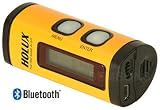

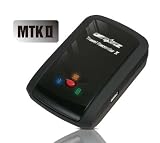
This is a good compact GPS logger, which is primarily intended for geotagging digital photos.

The idea here is that the GPS logger periodically records your GPS location and then, later on, the Holux Logger Utility takes this timestamped GPS information and compares it against the JPG timestamps on your photos. Then for each photo, it can find the GPS record that best matches the photo time and add that GPS location information to the photo.

The basic idea works well. The M-241 is sometimes a little awkward to use, but I like mine enough that after I accidentally lost my first one, I quickly bought a second. I use the GPS info for both tagging photos and for generating route maps.

Some specific positives:
* The logger is very compact and easily fits into a pocket.
* The Holux logger utility uploads GPS data as either proprietary TRL files or as Google Earth KML files. The KML files can be easily viewed with Google Earth.
* GPS signal sensitivity is quite good. It can sometimes take ten minutes or so to get an initial fix, but it tracks quickly thereafter.
* The LCD display is useful: I enjoy being able to watch things like direction, or speed, or travel distance as I travel.

Now some weaknesses:
* A Duracell Alkaline AA lasts me about 15 hours and a Lithium AA about 22 hours. (Fairly typical battery life for a GPS device.)
* The battery case cover is rather flimsy and needs cautious handling.
* The two button control UI on the logger takes a little getting used to. I can now navigate it quickly, but I initially found it rather frustrating.
* The logger utility UI is distinctly clunky and the manual is rather weak. The UI does the job, but not particularly elegantly.
* You need to keep your camera time synchronized with the logger's time and you need to compensate for timezone differences when you do the photo tagging.

You can use either USB or Bluetooth to communicate with the logger. I've been using USB on Vista, without any problems. I can't speak to the Bluetooth functionality.

Some suggestions:
* Make sure to download the latest firmware and logger utility from the Holux website. The latest versions have bug fixes and some feature additions.
* In the logger settings, turn "AutoLog" to "on". This means it will start logging as soon as it gets a GPS fix, and you don't have to remember to separately turn on logging.
* Rather than worrying about time zones, I ended up leaving my camera permanently in UTC+0 (GMT). The logger always writes its TRL records in UTC+0, so this means I can tag photos without having to specify a timezone adjustment.
* By default, the logger logs every 5 seconds. I moved it to every 30 seconds, which I find adequate for photo location and lets me store over a month of records.
* If you're using USB, it's worth turning off the Bluetooth radio to save power. (This is a new feature in the v1.12 firmware.)

Overall, this isn't perfect, but I find it very convenient as a lightweight tool for GPS and photo logging.
Get more detail about M-241.: Holux M-241 Bluetooth Data Logger GPS (Runs on AA Battery, MTK Chipset, 130,000 Waypoints).

Read more...

Discount GARMIN Astro 220 With DC30


Get more detail about GARMIN Astro 220 With DC30.

Read more...

Cheapest IDC Ecco Intelligent Digital Compass Personal Pocket GPS Locator


I have to say...I thought that this product sounded so great. Unfortunately, you have to wait between 1-3 minutes in order to be located before you can set your coordinates. This is not a long time when you are truly away from home and want to locate your car, but when you are at a department store and don't plan on being there for a very long time...to wait even 30 seconds before you can leave your car is quite a long time. This device does not know height as well. This means that if you are parked on a multi-level structure...it could not notify you as to what story you are on.

I had to return this item for a refund. It is a neat idea, but maybe not quite its time. Maybe if IDC makes its locator faster...then this would be something I would be interested in.

I hope this helps.Get more detail about IDC Ecco Intelligent Digital Compass Personal Pocket GPS Locator.

Read more...

Cheap Garmin 010-11092-00 Foot Pod Personal GPS Tracker

>> Friday, October 30, 2009


Get more detail about Garmin 010-11092-00 Foot Pod Personal GPS Tracker.

Read more...

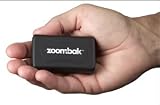
Buying Zoombak ZMBK100 Advanced GPS Dog Locator


My husband bought one of these in town for $100 but I made him return it and found it for $39 w/free shipping online. Boy, am I glad I did! We put this little piece of junk in the back window of my son's car, (within full view of the sky, as the instructions will tell you) and it hardly works. The site is very slow to show you the location of the device, has a hard time finding it at all, can't track in real time, is extremely slow sending email alerts. By the time I get an alert, my son has long since arrived at his destination and I've spent way too long wondering where he is. It's even supposed to tell you how fast the device is moving, (say, in a car), but if it displays this information, it's too old to do anything about and it really only gives you a snapshot of what's going on, not ongoing information. Don't be thinking you'll be able to find a lost dog with it. You might eventually be shown a general location but by then the dog would have moved on. And all this wondrous information can be had for a monthly subscription fee! Yay! Oh, and by the way, I live in Columbus, Ohio, not the middle of nowhere.

Oh, and don't suppose you're going to buy one to give it a try, then sell to some other poor, unsuspecting sap. The only way to transfer it is to "authorize" someone to be a user on the account. THEY can then change the password and redirect the billing. But wait! What if they don't redirect it? Then you'll still get the bills AND be locked out of the account! Woo hoo! It had better be someone you really trust! So I guess this will go in the trash and be a $40 lesson.

What a great idea this seemed at the outset. Too bad the execution is so poor at this point. A more expensive device is probably the best idea. I'm sure the technology COULD be had cheaply, but will not be for a while. The companies stand to make too much money right now. I'm completely and utterly disappointed. Give this one a pass.Get more detail about Zoombak ZMBK100 Advanced GPS Dog Locator.

Read more...

Buy Q-1000X: Qstarz BT-Q1000X Bluetooth Data Logger GPS Receiver (66 ch, 1-5Hz Update Rate, AGPS, 200,000 Waypoints)


I have used several GPSs over the years and this one takes the cake. It went on a trip to Ireland the Scotland with me and performed so well I am thinking of new ways to push it to see where it might fail.

First it locked on just about anywhere, inside airports while in my luggage, inside the overhead bin on the plane while inside my luggage, inside cars while in my pants pocket, in buildings, in hotels, in pubs large and small. It locked on everywhere, and when it did not it just kept me in the same location until it did find a lock, meaning it did show me bouncing all over the place when I was really just sitting still.

Secondly the software is OK, I did use it for downloading the data, setting up the GPS, exporting to GPX and Google Earth, and some preliminary review of the days events, but really that was it. So I cannot talk to how it does anything else, nor do I much care. It does what I needed it to do very well with no problems or complaints. I ran it on XP SP3 on 2 machines and it had no issues of any kind.

Thirdly it lasts FOREVER. I left it run almost 2 days, nearly 42 hours, before it died. 42 hours. That is amazing. Plus since it charges via USB I can charge it ANYWHERE. I can charge from my laptop, desktop, car charger, wall charger, even from those little engergizer 2xAA battery thingies. I even made a charger from a USB cable and a 4xAA battery holder. So I can charge this from rechargeable batteries as needed without connecting to my laptop.

Forthly it stores a lot of info. I have easily almost 2 weeks of time, in 1 minute increments about 10-16 hours a day, stored on here. You cannot erase from it , it just overwrites the old stuff, so I can see all the way back to when I first got it still, plus the 9 day Ireland/Scotland trip, plus all the flights to and from, plus misc playing around with it. It is all still on there. Amazing.

The one thing you really really really do have to do though if you plan to geotag photos, and I know you already know this but just listen anyways, is to sync the camera clock to GPS time (in your home timezone if possible). My camera time drifts, I had synced it before maybe 6 months ago when using the Garmin GPS around home, but I was 5 minutes off, which would be fine except that my shots of a given church were blocks away, my shots of the Cliffs of Moher are geotagged from the parking lot, etc until I corrected for the drift. There is no way to tell what time this GPS thinks it is, but since all GPS receivers use the same time it is a simple matter of syncing to any GPS or just to a reputable Stratum 1 or 2 time source online.
Get more detail about Q-1000X: Qstarz BT-Q1000X Bluetooth Data Logger GPS Receiver (66 ch, 1-5Hz Update Rate, AGPS, 200,000 Waypoints).

Read more...

Purchase Zoombak ZMBK200 Advanced GPS Car and Family Locator

>> Thursday, October 29, 2009


My husband bought one of these in town for $100 but I made him return it and found it for $39 w/free shipping online. Boy, am I glad I did! We put this little piece of junk in the back window of my son's car, (within full view of the sky, as the instructions will tell you) and it hardly works. The site is very slow to show you the location of the device, has a hard time finding it at all, can't track in real time, is extremely slow sending email alerts. By the time I get an alert, my son has long since arrived at his destination and I've spent way too long wondering where he is. It's even supposed to tell you how fast the device is moving, (say, in a car), but if it displays this information, it's too old to do anything about and it really only gives you a snapshot of what's going on, not ongoing information. Don't be thinking you'll be able to find a lost dog with it. You might eventually be shown a general location but by then the dog would have moved on. And all this wondrous information can be had for a monthly subscription fee! Yay! Oh, and by the way, I live in Columbus, Ohio, not the middle of nowhere.

Oh, and don't suppose you're going to buy one to give it a try, then sell to some other poor, unsuspecting sap. The only way to transfer it is to "authorize" someone to be a user on the account. THEY can then change the password and redirect the billing. But wait! What if they don't redirect it? Then you'll still get the bills AND be locked out of the account! Woo hoo! It had better be someone you really trust! So I guess this will go in the trash and be a $40 lesson.

What a great idea this seemed at the outset. Too bad the execution is so poor at this point. A more expensive device is probably the best idea. I'm sure the technology COULD be had cheaply, but will not be for a while. The companies stand to make too much money right now. I'm completely and utterly disappointed. Give this one a pass.Get more detail about Zoombak ZMBK200 Advanced GPS Car and Family Locator.

Read more...

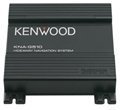
Order Kenwood KNA G510 - Navigation system


I have been using this new Kenwood Nav system for months now and it works great everywhere I go.Get more detail about Kenwood KNA G510 - Navigation system.

Read more...

Where To Buy Magellan RoadMate 1700 7-Inch Widescreen Portable GPS Navigator


Compared to the TomTom, this particular Magellan unit is very basic. No MP3 player. No RF transmitter. No bluetooth connectivity. No instant traffic report. No free map updates. No bluetooth remote control. No variety of voices. And no 7 inch screen! In other words, the Magellan is a basic, yet very functional GPS. We have been using the TomTom for about 2 years and took it to Hawaii in June. It was great until it routed us in a perpetual loop near Pearl Harbor. Other than that, the TomTom is a lot of GPS for the money, BUT...

The Magellan is soooo much easier to see b/c of it's much larger size. The menus are simple to navigate (not so many endless optional settings as the TomTom) and it includes the AAA travel guide, which we have used in book form for years. Street names are presented in easy-to-read-at-a-glance fonts, for those of us who actually look at the GPS while driving. The screen is plenty bright enough even in bright sunlight to be easily read, even through dark sunglasses. Not so, the TomTom. Also, I like the auto turn-to-night feature, which changes the screen colors to suit nighttime driving. And did I mention, I love the BIG screen! I plan to buy my wife a portable DVD player for Christmas and the Magellan will accept composite video from the player and give us two screens if we choose (but not while driving).

Here's an important feature: the Magellan comes with a very functional windshield suction cup mount which works like one of those small hobby vises you've seen that uses a lever to really fasten the suction cup to a table top. That's necessary since the GPS is naturally heavier than the smaller units. I'm now satisfied that it will hold the device securely after several trips.

The lane change feature should be handy in unfamiliar cities. And did I mention the HUGE screen? Of course I did. BTW, the big screen does have a couple of drawbacks. For one, if you plan to use the windshield mount, you'll have to mount it as low as possible so that it won't interfere with your vision. Mine is mounted so low that it is supported by the dash, which allows me to see over it easily and also takes out the vibration of the unit which occurs on bumpy roads when mounted this way. The other thing I am concerned about is that a passing cop may be drawn to the large "thing" sitting on my dash because of it's silver color (only the back).

So, will I ditch the TomTom? No way. But if I am not traveling by air to a remote destination (it's easier to pack, perhaps) and don't need the convenience of the MP3 player, I'll use the Magellan. It's really more practical and both will probably route me similarly. In this case, bigger really is better.Get more detail about Magellan RoadMate 1700 7-Inch Widescreen Portable GPS Navigator.

Read more...

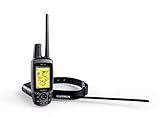
Shop For GARMIN 010-00596-01 Astro Bundle 220 Dog Tracking GPS

>> Wednesday, October 28, 2009


This astro should be pointed out that its fixed many of the bugs those of us early adopters encountered (like using velcro to attach anything to a dog was mistake 1).

The early versions featured an orange "box" with a non-amplified antenna built into the top of it, plus a li-ion battery. You got a velcro harness to hold it on the dog and keep it pointing skyward. After 2-3 trips the velcro was full of hair and the antennas were being broken by anxious dogs racing through brush.

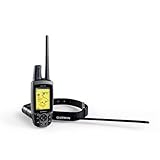
Garmin re-designed the astro and fortunately for us all we had to do was buy the upgraded collar design. The (now black) collar works the same but features an amplified antenna on top, the electronics box down below where it naturally hangs, and an improved longer antenna with better range (about 25% better in my testing)

From the top of one mountain I can now find my dog 7.48 miles away with almost full signal strength, so this really works. Getting to the dog is another matter.

The collar transmits either every 5, 10, or 30 seconds. 10 is a good value as you get about 2 days of use from the transmitter before the battery dies. 5 seconds will die in under a day (about 18 hours). These settings are made by placing the collar in close proximity to the handheld tracker and uploading them.

Finally for the radio folk the collar transmits on the MURS VHF frequencies at 2 watts digital. The frequencies are 151.82, 151.88, 151.94, 154.57 (old analog radio channel - not a good choice) and 154.6 (same as 154.57) [all in MHZ]

The 151 frequencies provide the best range near towns becuase every fast food drive through uses the 154 frequencies to talk around. These correspond to the last 2 sets of 10 channels in the Astro.

If you are wondering how they get 10 channels on one frequency, its simple - both the receiver and transmitter have GPS inside, so they know EXACTLY when a second clicks by to a great precision. They then divide a time period (1 second) into 10 parts, each 1/10 of a second long. Channel 23 for example specifies frequency 2 (151.94) and timeslot 3 - the 3rd 1/10 of a second after 0.00 seconds. Since the radio and the transmitter both know when the transmission will happen the radio tunes frequency 2 at 0.3 seconds after a second "ticks" to listen for the 1/10 second transmission from the collar.

The only problem with this is you can not put multiple collars next to each other as the receiver needs time to process the data it receives (about another 1/10 second) so if 151.94 is a good channel for you, pick dog numbers of 21, 23, 25, 27, and 29 if you have multiple dogs on one system or are hunting with another astro user. Also, you can't have the radio tune different channels at the same time, so don't pick dog A on channel 14 and dog B on channel 24 because their transmissions will be at the same time on 2 different freqencies.

Keeping those simple rules of separation in mind you can track alot of dogs a long ways with Astro.Get more detail about GARMIN 010-00596-01 Astro Bundle 220 Dog Tracking GPS.

Read more...

GPS Tracker Cheap